
Info
WordPress vs Laravel: Which Is Better for Your Website?
A practical comparison of WordPress and Laravel covering performance, flexibility, cost, accessibility, maintenance and website carbon emissions.
WordPress and Laravel can both be used to create professional websites, but they are very different platforms.
WordPress is a content management system designed to make creating and managing a website accessible to non-technical users. Laravel is a web development framework used to build bespoke websites and applications around the exact requirements of a business.
The right choice depends on your budget, your technical requirements, how much control you need and whether you plan to manage the website yourself.
WordPress
WordPress is one of the most widely used website platforms in the world. It provides an easy-to-use administration area where users can create pages, publish news articles, upload images and manage website content without needing to understand code.
A large ecosystem of themes and plugins makes it possible to add features such as contact forms, online shops, bookings, memberships and search engine optimisation tools relatively quickly.
This makes WordPress a good option for businesses that need a straightforward website and want to manage much of the content themselves.
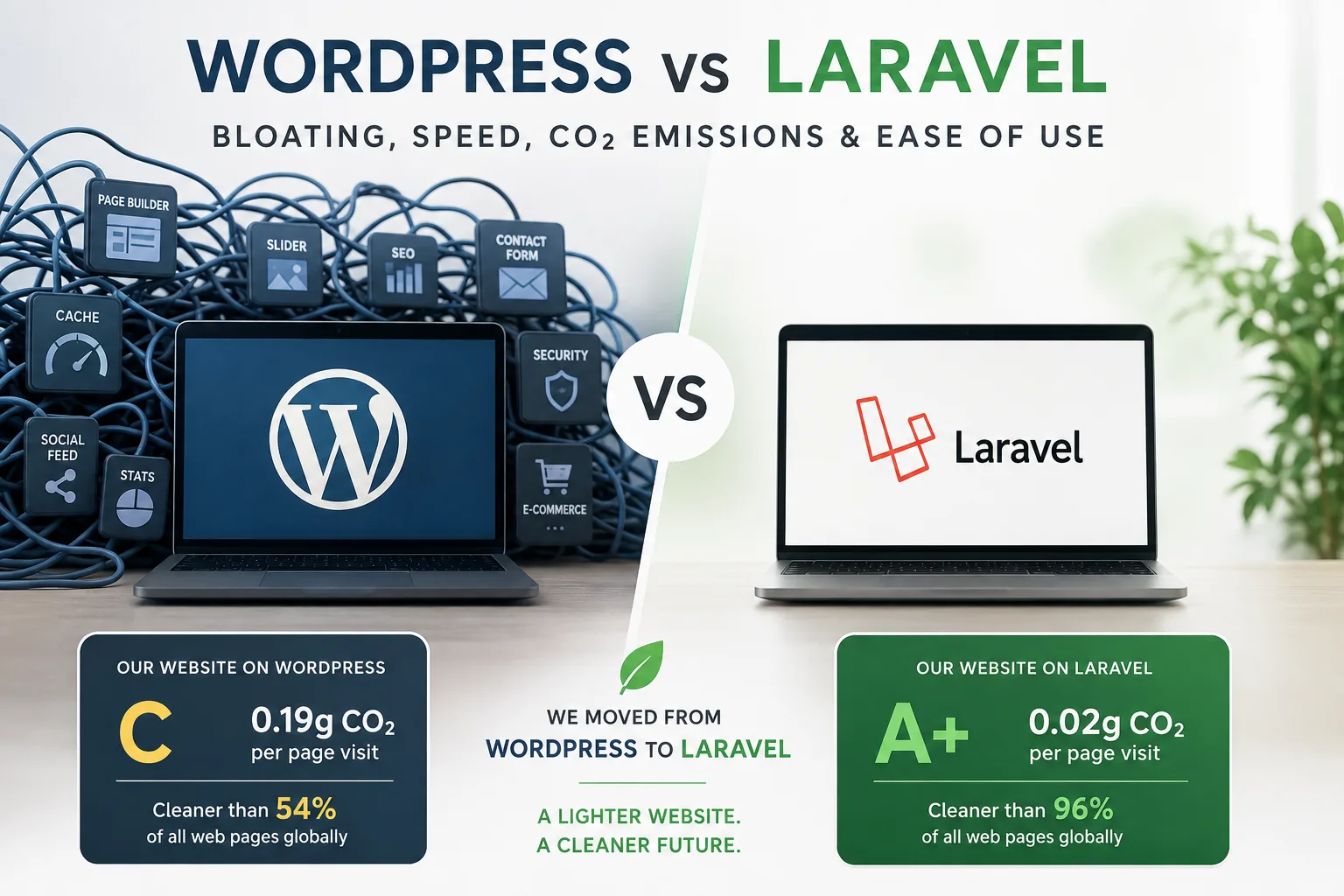
However, WordPress websites can become bloated when they rely on too many plugins, page builders, scripts and third-party integrations. Each additional component can add extra code, database queries and files that the browser must download.
This can affect loading speed, security, accessibility and ongoing maintenance. A heavily customised WordPress website may also become difficult to manage if plugins conflict or stop receiving updates.
Laravel
Laravel is a PHP development framework used to create bespoke websites, portals and web applications.
Unlike WordPress, Laravel does not come with a ready-made website administration system or a large collection of pre-installed features. Instead, developers build the website and its functionality around the specific needs of the project.
This means a Laravel website can be much leaner because it only includes the features and code that are actually required. There is less reliance on general-purpose plugins and page-building tools.
A well-built Laravel website can provide excellent speed, security and flexibility. It is particularly suitable for businesses that need custom workflows, integrations, customer portals, complex databases, subscriptions, directories or other functionality that would be difficult to manage through standard WordPress plugins.
The trade-off is that Laravel normally requires an experienced developer. It is not usually a platform that a business owner can install, configure and customise without technical knowledge.
Bloating and Performance
WordPress itself does not have to be slow or bloated. A carefully developed WordPress website using a lightweight theme and a limited number of reputable plugins can perform very well.
Problems often appear when a website uses a visual page builder, several overlapping plugins, large image files and scripts loaded by third-party services. Features are frequently added through plugins because this is quicker than developing them from scratch, but this can result in a website loading far more code than it needs.
Laravel gives developers much more control over what is included. Because the website is built specifically for the project, unnecessary code and functionality can be avoided.
Laravel websites can be designed for performance from the start. Developers have direct control over database queries, caching, page delivery and the assets loaded by the browser.
This often makes Laravel a better option for businesses where speed, scalability and technical efficiency are particularly important.
Website Speed
Website speed depends on more than the platform. Hosting quality, image optimisation, caching, database structure, third-party scripts and the quality of the development work all play an important role.
WordPress can be fast, but it often requires ongoing optimisation. Caching plugins, image compression, database maintenance and careful plugin management may all be needed to maintain good performance.
For a straightforward brochure website, the difference may be relatively small if both websites are developed properly. For a complex or highly customised platform, Laravel will often provide greater control and more consistent performance.
Website Carbon Emissions
Every time someone visits a website, data is transferred between servers, networks and the visitor's device. This consumes energy and contributes to the website's carbon footprint.
Faster and more efficient websites generally transfer less data, require less processing and consume less energy.
At Bonsai Digital, we recently rebuilt our own website and moved it from WordPress to Laravel.
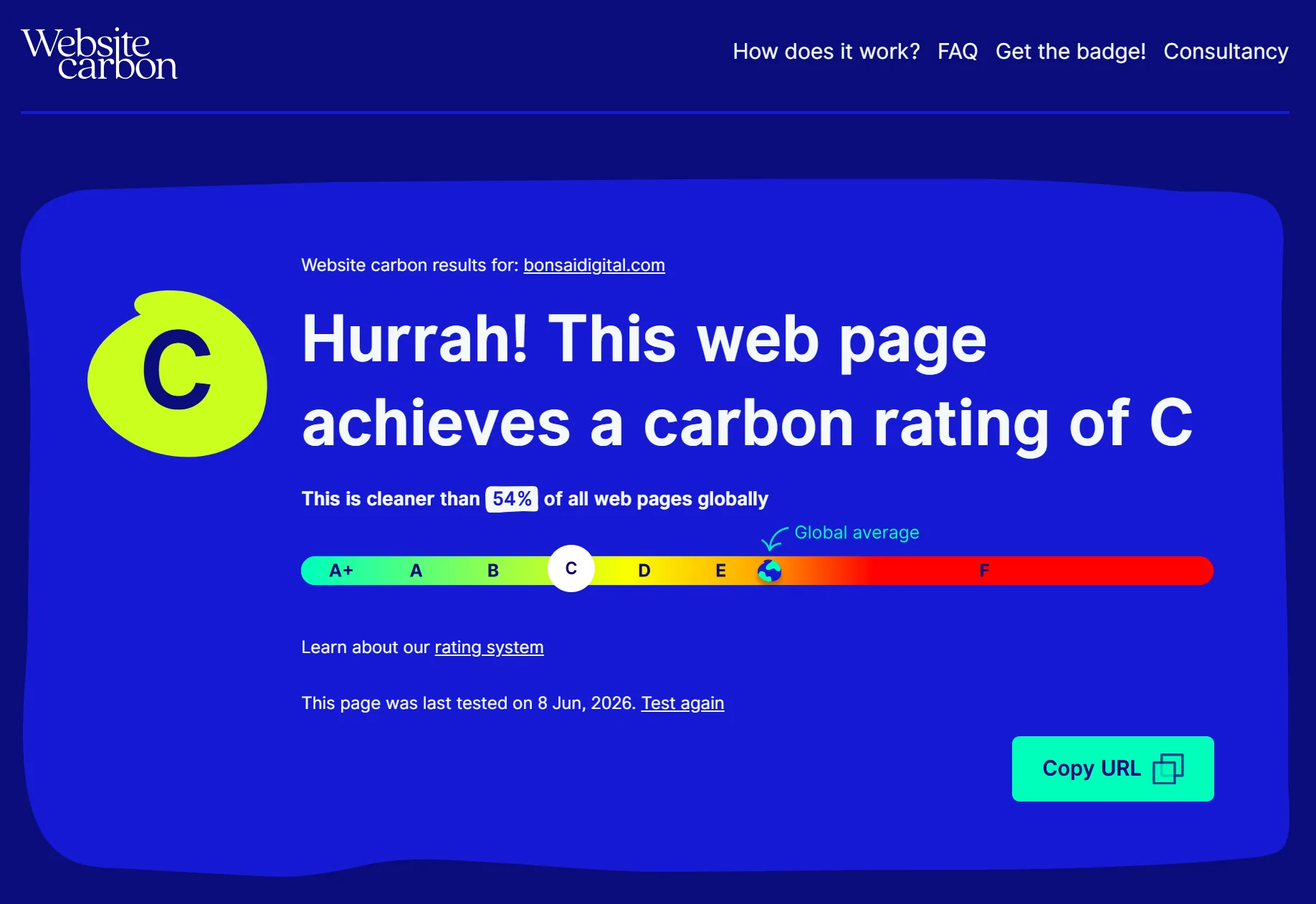
According to the Website Carbon Calculator, the WordPress version of our website received a grade C. It produced an estimated 0.19g of CO2 every time someone visited the tested web page and was cleaner than 54% of web pages globally.
After moving the website to Laravel, the same calculator awarded it a grade A+. The Laravel version produces an estimated 0.02g of CO2 per page visit and is cleaner than 96% of web pages globally.
This represents an estimated reduction of almost 90% in the carbon produced per page visit.
The improvement is not simply because Laravel is automatically greener than WordPress. It reflects the ability to build a lightweight website with cleaner code, fewer dependencies and only the functionality that is actually needed.
A well-optimised WordPress website can still perform very efficiently, while a poorly developed Laravel website can still be slow. The quality of the build remains one of the most important factors.
Ease of Use
WordPress is generally easier for non-technical users.
Its administration area is familiar, widely documented and designed for everyday content management. Many businesses can update text, add pages and publish articles after a short amount of training.
Laravel does not have a standard administration area. Any content management tools need to be designed and built as part of the project.
This can be an advantage because the system can be made much simpler and more relevant to the business. Users only see the fields and options they actually need. However, creating that experience requires additional development work.
For day-to-day content editing, both systems can be easy to use when they have been designed properly. WordPress provides this functionality more quickly, while Laravel allows it to be tailored more precisely.
Can You Build It Yourself?
WordPress is the more realistic option for someone who wants to create a website themselves.
Hosting providers often offer one-click WordPress installation and there are thousands of pre-built themes available. A small business owner can create a basic website without hiring a developer, particularly if the requirements are simple.
The difficulty tends to increase as the website becomes more important or more complex. Security, performance, accessibility, backups, search engine optimisation and responsive design all require additional knowledge.
It is possible to build a WordPress website yourself, but hiring an experienced developer will usually produce a more professional, reliable and maintainable result.
Laravel is not generally suitable as a do-it-yourself platform unless you are already an experienced PHP developer. Building a Laravel website requires knowledge of programming, databases, server configuration, security and application architecture.
Most businesses considering Laravel should work with a professional development team.
WordPress and Laravel Comparison
| Area | WordPress | Laravel |
|---|---|---|
| Initial setup | Quick and relatively simple | Requires bespoke development |
| Ease of use | Very accessible for content editors | Depends on the administration system created |
| DIY suitability | Suitable for basic websites | Not suitable without development experience |
| Custom functionality | Usually added through plugins or custom development | Built specifically around the project |
| Bloating | Can become bloated through plugins and page builders | Greater control over the code and features included |
| Speed | Can be fast but often needs optimisation | Can be highly optimised from the outset |
| Security | Requires frequent updates and careful plugin management | Strong foundations but still depends on development quality |
| Maintenance | Core, themes and plugins require regular updates | Requires developer-led maintenance and deployment |
| Carbon emissions | Can be efficient but may transfer unnecessary data | Can be built as a leaner and more efficient system |
| Cost | Usually lower for straightforward websites | Usually higher due to bespoke development |
| Scalability | Suitable for many standard business websites | Well suited to complex platforms and applications |
| Flexibility | Extensive plugin ecosystem | Almost unlimited bespoke flexibility |
Which Platform Should You Choose?
WordPress is often the right choice for a small business website, blog or relatively straightforward online shop. It provides a lower initial cost, an accessible content management system and a large selection of existing tools.
Laravel is often the better choice when a business needs something more bespoke. This may include custom account areas, business directories, complex integrations, subscription platforms, marketplaces or systems with specialist workflows.
The decision should not be based on the platform alone. A professionally developed and properly maintained WordPress website will usually outperform a poorly built Laravel website.
The most important consideration is choosing the platform that fits the project rather than trying to force the project into a particular platform.